Theme: Auto-Router
How can I install "FreeRouting"?
In the PCB view, select the menu item Actions / Autorouters, Wizards and Assistants / Autorouter / FreeRouting auto router:
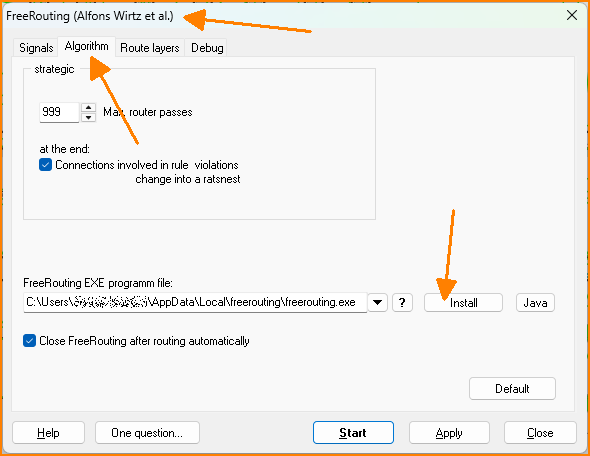 (Fig. 1: Click the [Install] button)
Then click the [Yes] button here:
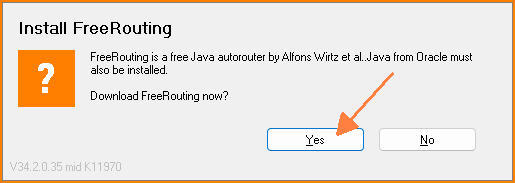 (Fig. 2: Prompt)
TARGET opens your web browser and downloads an *.msi file from GitHub. You must run this file to install FreeRouting. If Microsoft displays a warning before installation, you can ignore the warnings. In our experience, the FreeRouting project on GitHub (Microsoft) has been a trustworthy source so far and will certainly remain so.
Once the installation is complete, you may need to install Java. To do so, click the [Java] button in Fig. 1. Java will then be installed automatically by Oracle.
The path entered in the FreeRouting EXE program file: field in Fig. 1 must point to the EXE file of the newly installed FreeRouting program. FreeRouting is then ready for use.